
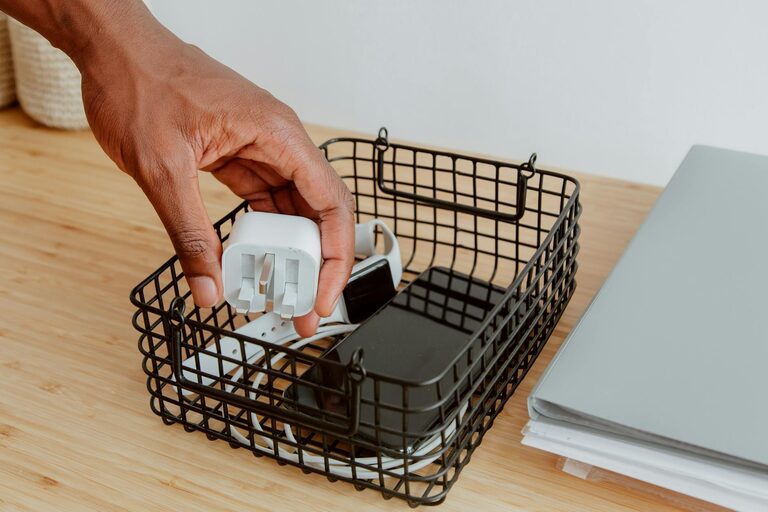
Keeping cables and chargers organized can be a challenge, especially with the growing number of devices we use daily. Tangled cords and misplaced chargers not only look messy but can also be frustrating when you need to find something quickly. The good news is that with a few easy strategies, you can organize your cables and chargers neatly and maintain a clutter-free space.
Why Organizing Cables Matters
Before jumping into the how-to’s, let’s understand why it’s important to organize cables:
– Reduces clutter: Prevents tangled and messy cables from piling up.
– Saves time: Makes it easier to find the right charger or cable when needed.
– Prevents damage: Avoids wear and tear caused by knots and twists.
– Improves safety: Reduces tripping hazards and the risk of electrical issues.
– Enhances aesthetics: Creates a clean, professional look in your work or living space.
Gather Your Supplies
To get started, gather some basic supplies that will help keep your cables in order:
– Cable ties or velcro straps
– Cable clips or holders
– Labels or masking tape and a marker
– Cable management boxes or containers
– Drawer dividers or small storage bins
– Hooks or adhesive pads
– A pair of scissors or wire cutters
Step-by-Step Guide to Organizing Cables and Chargers
1. Collect and Sort Your Cables
Start by gathering all your cables and chargers in one place. This will give you a clear picture of what you have. Then, sort them into categories such as:
– Phone chargers
– Laptop chargers
– USB cables
– Audio cables (headphones, speakers)
– Power cords
– Miscellaneous or rarely used cables
Sorting helps reduce duplication and makes future organization easier.
2. Declutter and Dispose
Go through your collection and toss any damaged, obsolete, or unused cables. Keeping only the cables that you actually use will reduce clutter significantly.
3. Label Each Cable
Using labels or simple masking tape with a marker, write the cable’s function or device it belongs to. For example, “iPhone charger,” “printer USB,” or “headphones.” This step saves time searching and prevents confusion.
4. Coil Cables Properly
Instead of folding cables haphazardly, use the “over-under” coiling method to prevent twisting and damage:
– Hold one end of the cable.
– Loop the cable in alternating directions (first loop over, the second loop under).
– Secure the coil with a velcro strap or cable tie.
5. Use Cable Clips and Holders
Attach cable clips or holders to your desk, wall, or charging station to keep cables in place. This prevents cables from slipping or falling to the floor and keeps your workspace tidy.
6. Store Chargers and Cables Separately
Designate a drawer, box, or container specifically for chargers and power adapters. Use dividers or small containers to further separate them by category or device.
7. Use a Cable Management Box
If you have multiple cords plugged into a power strip, use a cable management box to hide the power strip and excess cables. This reduces visual clutter and keeps cables safely contained.
8. Utilize Hooks or Adhesive Pads
Mount hooks or adhesive cable pads inside drawers, on walls, or under desks. These can hold coiled cables or keep frequently used chargers handy and off flat surfaces.
9. Create a Charging Station
Set up a dedicated charging station with labeled cables and chargers where everyone in your household or office can charge their devices conveniently. This helps keep cables centralized and organized.
10. Maintain Your System Regularly
Organizing cables isn’t a one-time job. Schedule periodic checks to re-coil cables, remove unnecessary cords, and update labels. Maintenance keeps the system effective in the long run.
Additional Tips
– Color-code your cables: Use colored ties or labels to differentiate cables easily.
– Use a binder clip for small cords: Binder clips can hold cables on the edge of your desk.
– Invest in wireless charging: Reduces the number of cables needed for charging devices.
– Bundle similar cables: Use larger cable organizers or sleeves to group related cables.
Conclusion
Organizing your cables and chargers neatly doesn’t require a lot of time or expensive products. With a little effort and the right tools, you can keep your electronics ready to use and your space looking clean and clutter-free. Whether it’s at home, in your office, or on the go, these tips will help you manage your cables more efficiently and reduce everyday frustrations.
Start today by sorting your cables and applying these simple methods — you’ll be amazed at how much tidier and more functional your space can become!